
The first page of the I-9 requires the employee to enter their Last Name, First Name, and Middle Initial (if any).
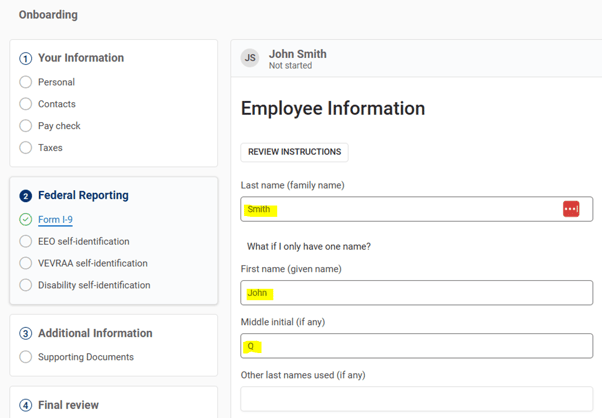
The signature on the I-9 must exactly match the name the employee provided in the Employee Information section at the beginning of the I-9 document.
If the signature does not match, the employee will be presented with an error message at the top of their screen.
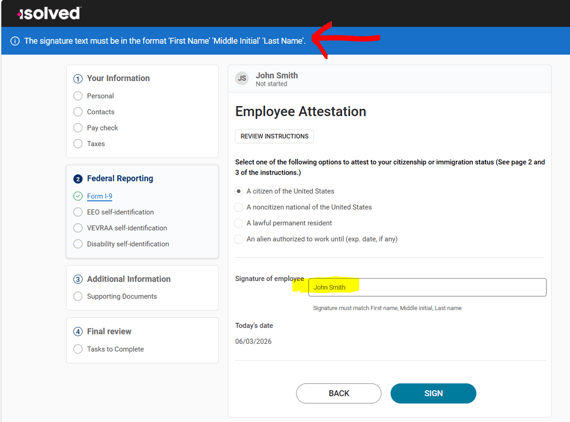
If this happens to your employee, please confirm the following:
-
Do the name and signature match exactly?
-
If middle initial was not provided on page 1 of the I-9 document, the employee should NOT include it in the signature. If the middle initial was provided on page 1, then it should be included in the signature.
NOTE: If the name and signature match, but the employee is still receiving an error, confirm that no leading or lagging spaces were accidentally entered in the name fields on page 1. This is more common when employee is utilizing a mobile device.