Here are step-by-step instructions for to retrieve copies of your employees' W-2s and/or your W-3 Transmittal forms:
-
Go to REPORTING > Year End Report Archive.
-
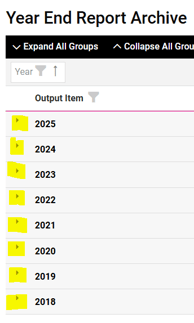
This screen will display all reports that were generated when processing and filing your employees' W-2s. The most recent year will be listed at the top with the full report list opened up.
-
Click on either of the download icons in the Actions column on the right side to open the document for viewing or printing.
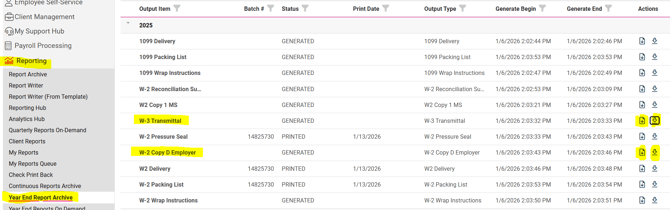
NOTE: The "W-2 Copy D Employer" report will display all W-2s, formatted for two per page. The "W-2 Pressure Seal" report will display ONLY the W-2s that were printed for mailing. Employees who elected into "electronic-only delivery" will not be listed on the Pressure Seal report but will be listed on the Copy D Employer report.
For more information about how employees can access a copy of their W-2 from their isolved Self-Service account, please refer to this article.
 What Else Should I Know?
-
If you are an ALE and Whirks is filing your 1094/1095 (ACA) forms, those reports can also be accessed from the Year End Report Archive.
-
To access the report list for previous years, simply click on the arrow at the far left side of the year.